How Digital Projects Work on 3DGigs (3D Modeling & Scanning)
Introduction
Digital 3D Modeling Projects on 3DGigs allow you to work with professional designers and engineers without shipping any physical parts. These projects are ideal for 3D modeling, CAD design, 3D scanning, and file-based deliverables that can be downloaded securely once completed.
This guide walks you through the entire digital fulfillment process, from creating your project to receiving your final files.
Step 1: Create a Digital Project
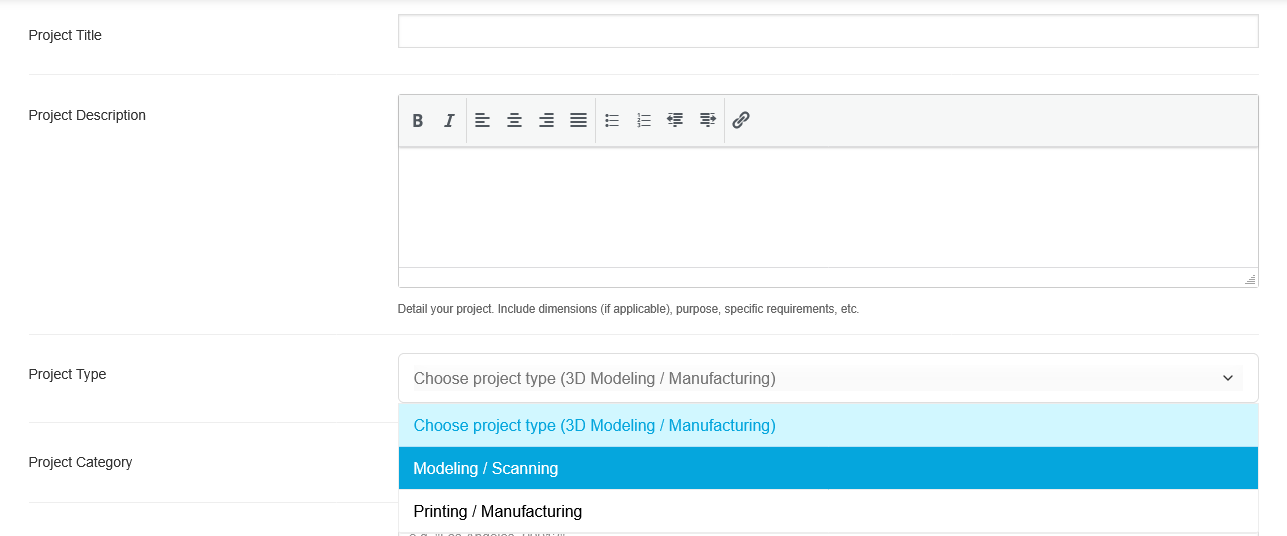
When submitting a new project on 3DGigs, you’ll be asked to choose a Project Type.
Select “3D Modeling / Scanning” if:
-
You need CAD files, STL/STEP files, or other digital assets
-
No physical manufacturing or shipping is required
-
The final output will be downloadable files
This tells vendors that your project is digital-only and ensures the correct workflow is used.
Step 2: Review Applications & Negotiate
Once your project is published:
-
Qualified vendors can apply
-
You can review profiles, experience, and past work
-
Use the Negotiate option to finalize scope, pricing, and timeline
Negotiation helps ensure:
-
Clear deliverables
-
Agreed file formats (STL, STEP, IGES, etc.)
-
Defined revision expectations
Step 3: Secure Checkout (Digital Order)
After negotiation:
-
The vendor generates a digital product for your project
-
You complete checkout securely on 3DGigs
-
No shipping address or physical delivery is involved
This checkout step protects both sides and officially starts fulfillment.
Step 4: Vendor Uploads Deliverables
When the vendor completes your project:
-
They upload the final deliverables directly to your order
-
Files are stored securely within your account
-
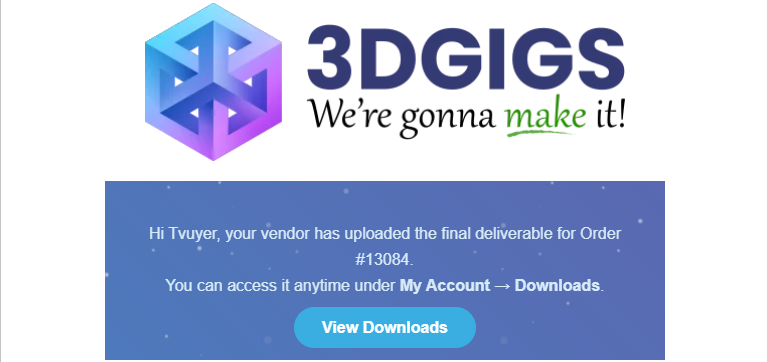
You’ll receive an email notification letting you know your deliverables are ready
Step 5: Download Your Files
To access your files:
-
Log in to your 3DGigs account
-
Go to My Account → Downloads
-
Download your deliverables anytime
Your files remain available even after the project is completed.
Why Digital Projects Are Different on 3DGigs
Digital projects:
-
Do not use shipping or tracking
-
Skip physical fulfillment steps
-
Move directly from completion → download
This ensures a faster, cleaner workflow for modeling and design-focused work.
Common Use Cases for Digital Projects
Digital 3D Modeling Projects on 3DGigs are perfect for:
-
CAD modeling & mechanical design
-
Product concept development
-
Reverse engineering via 3D scanning
-
STL/STEP file preparation for manufacturing
-
Design iteration before production
Need Help?
If you have questions about your digital project:
-
Visit our Support page
-
Or contact us directly from your dashboard
We’re here to make your experience smooth from idea to final file.
🔚 Summary
With Digital 3D Modeling Projects on 3DGigs, you get:
-
Clear project setup
-
Secure negotiation and checkout
-
Professional file delivery
-
Instant downloads with no shipping delays
Start your next digital project with confidence.