

How to Withdraw Earnings on 3DGigs
How to Withdraw Earnings on 3DGigs
If you are a maker on 3DGigs, this guide explains how to withdraw earnings on 3DGigs after completing a project.
Once a project is marked Completed and payment has cleared, your earnings become available for withdrawal inside your Store Manager dashboard.
Step 1: Set Your Payment Method
Before submitting a withdrawal request, make sure your payment method is configured.
Go to:
Store Manager → Settings → Payment
Direct link: https://www.3dgigs.com/store-manager/settings/
Currently available payout options:
- Stripe
- Bank Transfer
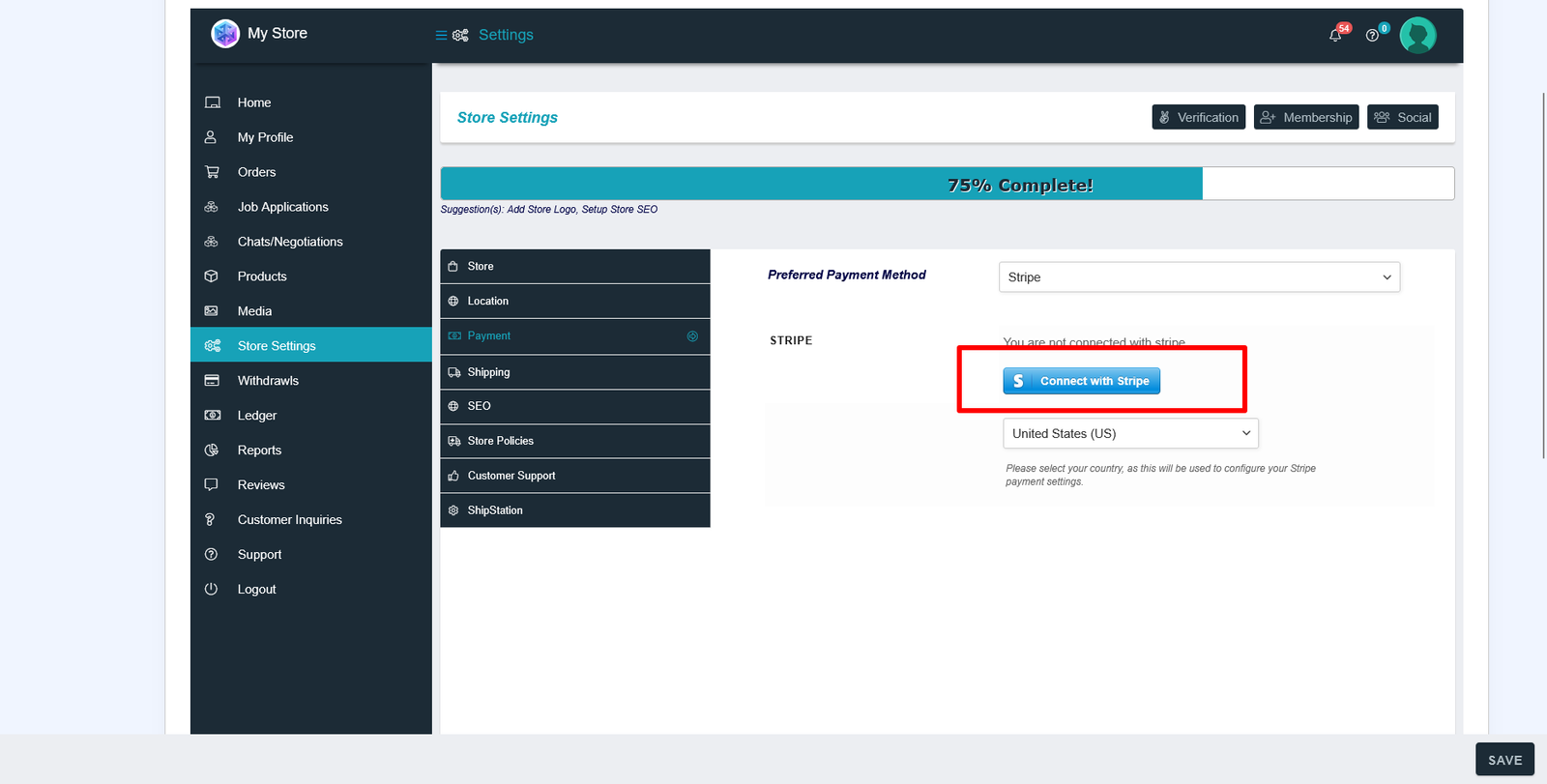
Stripe Setup
Click Connect with Stripe and complete the secure onboarding process. This allows payouts to be transferred directly to your connected Stripe account.
Bank Transfer Setup
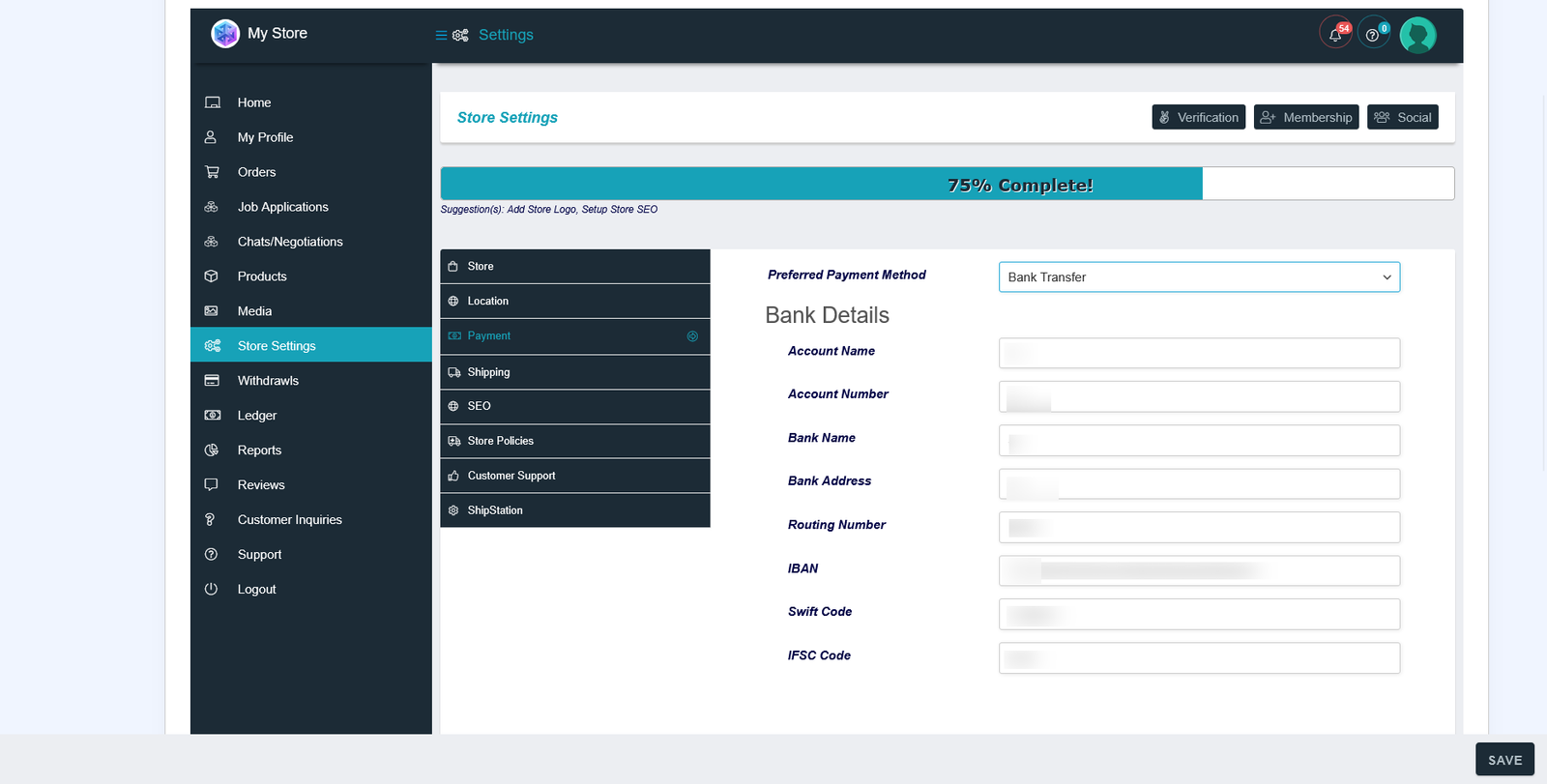
If using bank transfer, complete the Bank Details form inside your payment settings. All required fields must be filled accurately.
Important: Withdrawal requests cannot be processed unless your payment details are fully configured.
Step 2: Ensure the Project is Completed
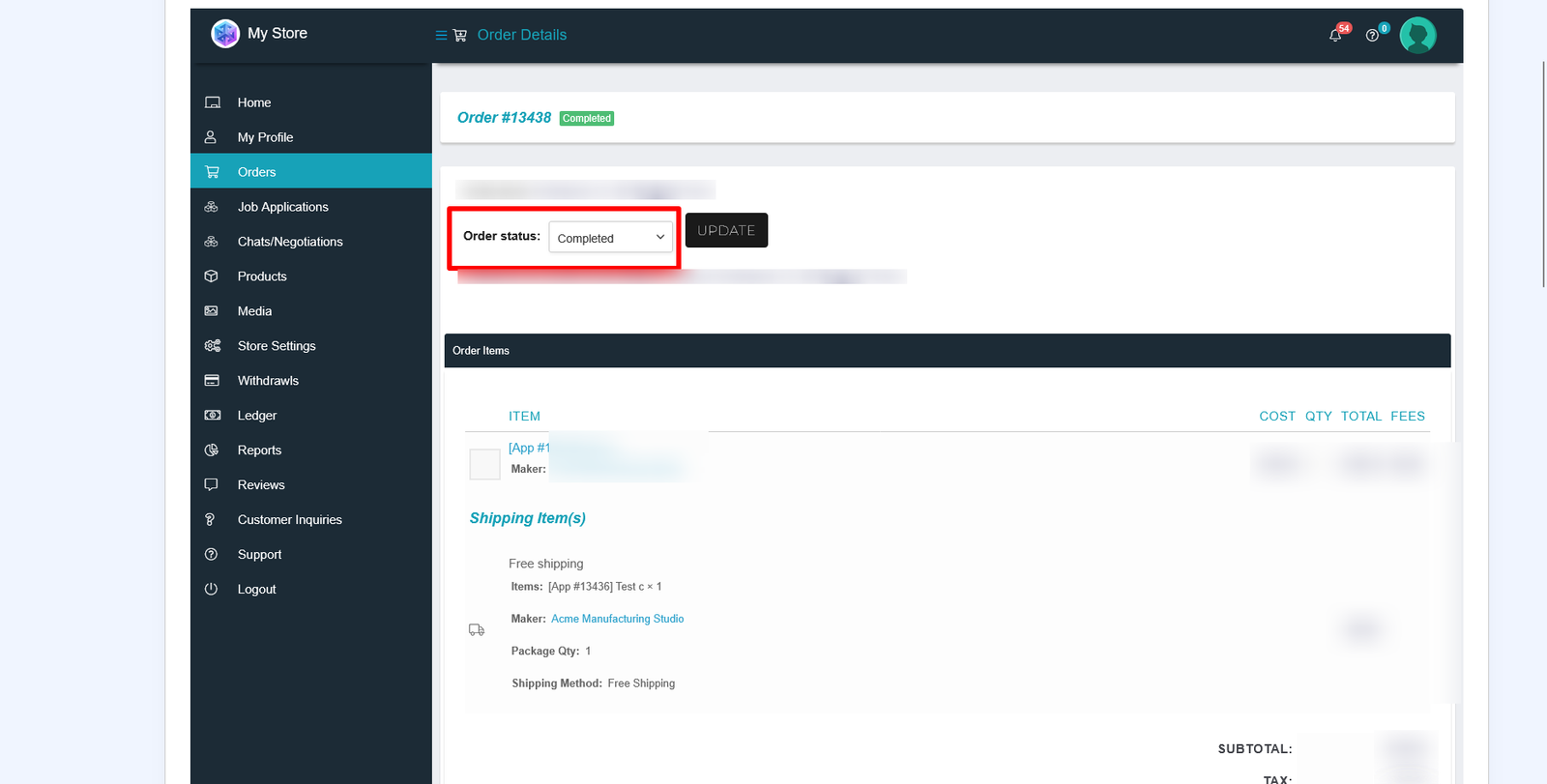
Earnings become available only after:
- The Customer has marked the project complete
- The order status is finalized
- The funds are cleared in the system
You can monitor your projects in your Orders Manager
Step 3: Submit a Withdrawal Request
To withdraw earnings on 3DGigs, go to:
Store Manager → Withdrawal
Direct link: https://www.3dgigs.com/store-manager/withdrawal/
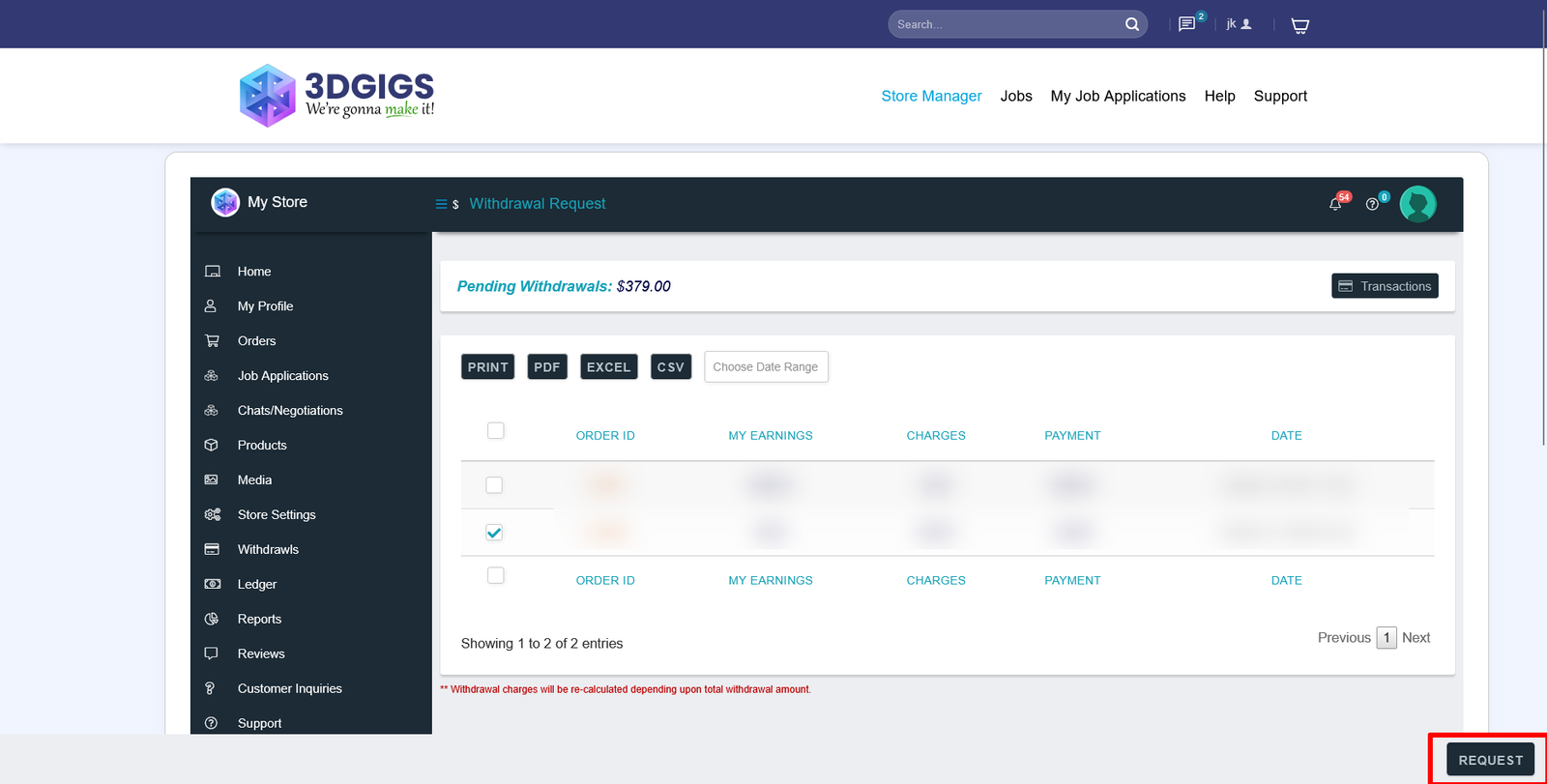
Here you will see your available balance from completed projects.
- Select the available withdrawal amount
- Confirm your payment method
- Click Submit (bottom right of page)
Your request will be sent for review and processing.
How Long Do Withdrawals Take?
Withdrawal requests are typically processed within 2 business days.
- Stripe payouts are sent to your connected Stripe account
- Bank transfers are processed manually to your registered bank account
You will receive confirmation once your withdrawal has been approved and completed.
Common Questions About Withdrawing Earnings on 3DGigs
Why is my balance not available?
Only earnings from Completed projects are eligible. Ongoing or pending projects will not appear in your withdrawal balance.
Can I change my payment method?
Yes. You can update your payout method anytime in Store Settings → Payment.
Do I need to request each payout manually?
Yes. Makers must submit a withdrawal request from the Withdrawal page when they are ready to receive payment.
Final Notes
Understanding how to withdraw earnings on 3DGigs ensures you get paid smoothly and without delays. Always verify your payment details before submitting a request.
If you need assistance, visit Support.
3DGigs is a product of AZ Technologies LLC.